FoxTrail Events Update: 13 Categories, Timeline, and Saves
FoxTrail's updated Flathead Valley events guide includes 13 categories, a day-by-day timeline, weather, improved event details, and a simpler way to manage saved events.
We’ve made a substantial update to the FoxTrail events guide.
The goal was straightforward: make it less cumbersome to find something to do around the Flathead Valley. The redesigned browser gives you better ways to filter events, look through a single day, open event details, and return to the same spot when you’re done.
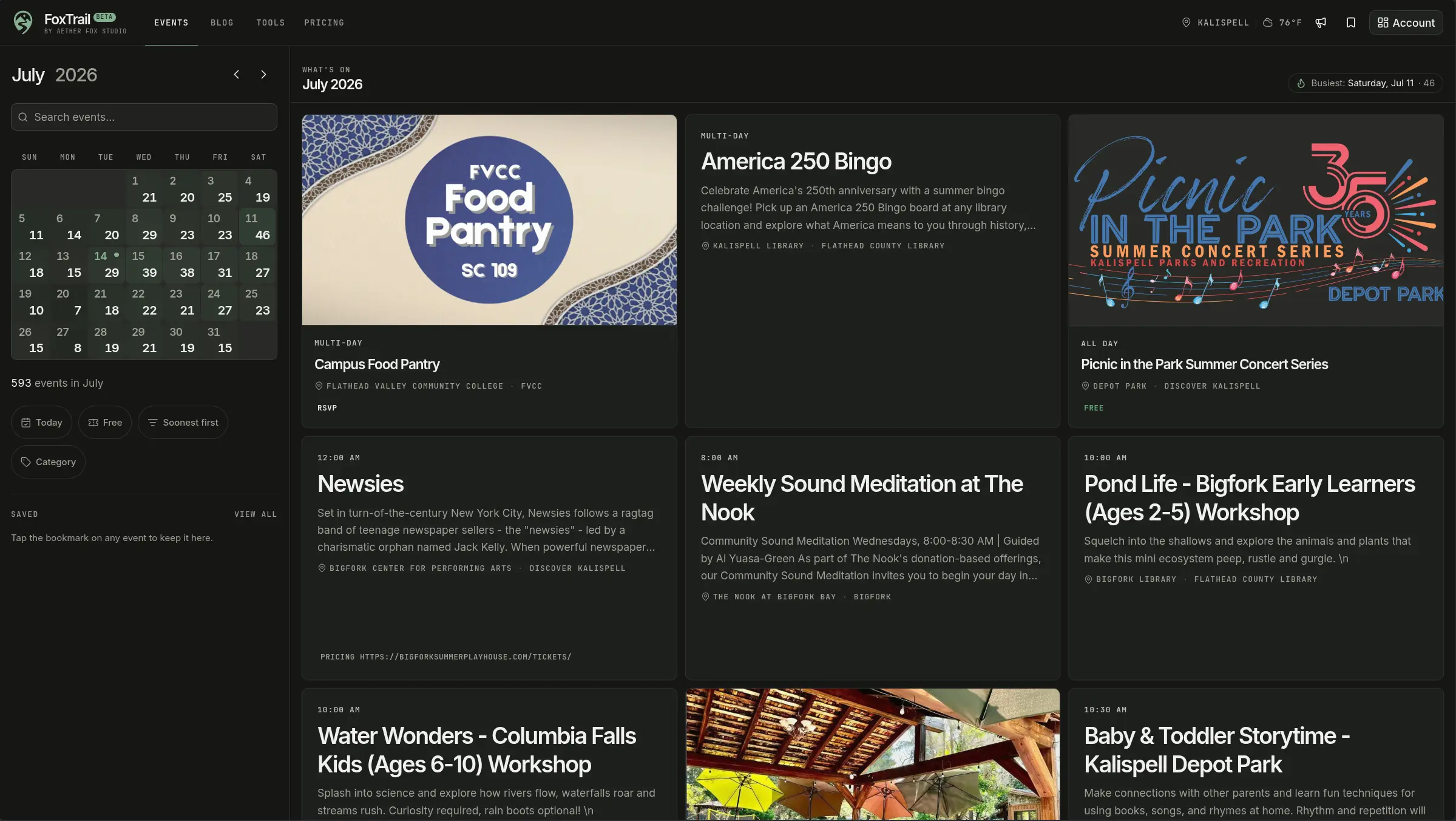
Thirteen event categories
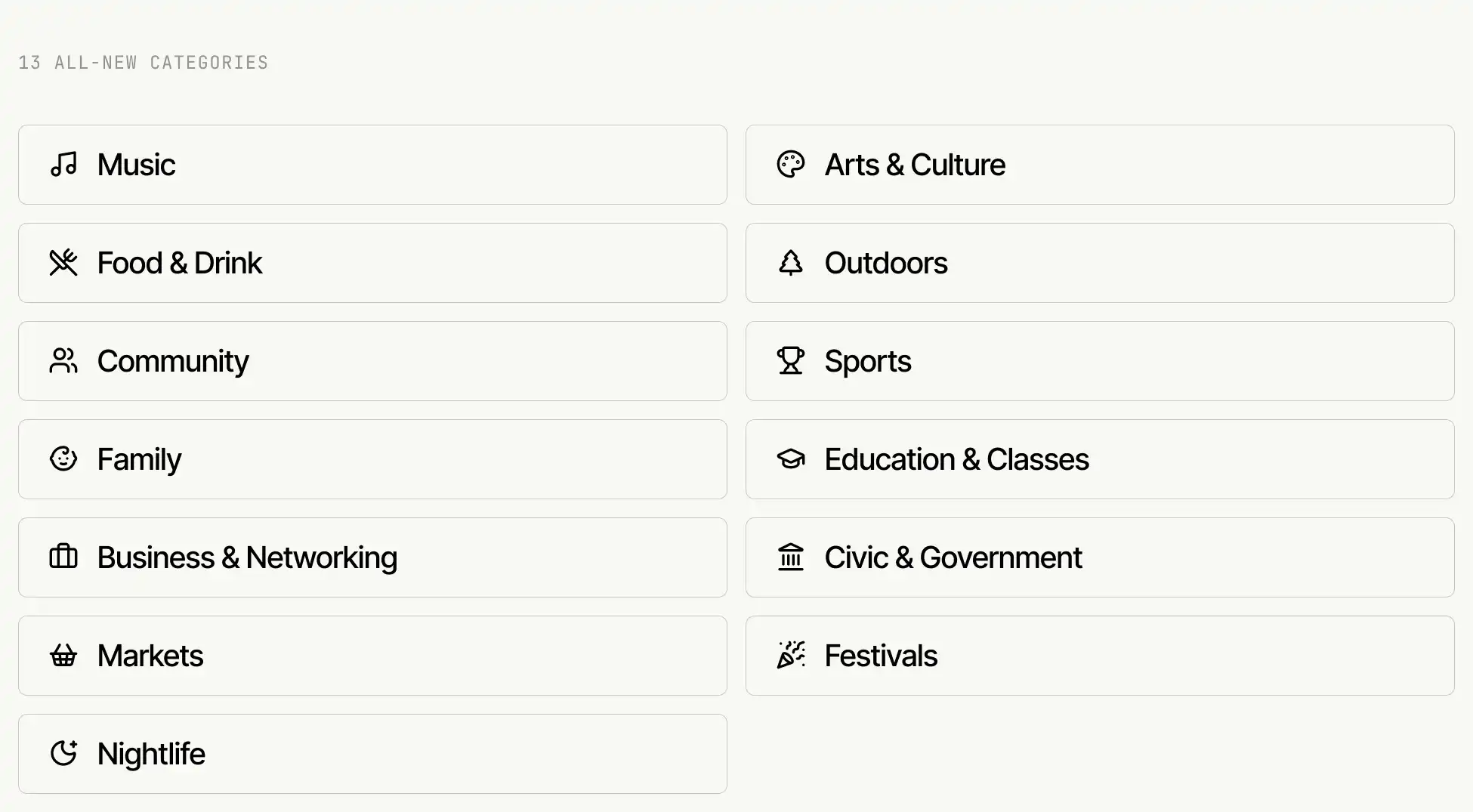
FoxTrail events are now organized into 13 categories:
- Music
- Arts & Culture
- Food & Drink
- Outdoors
- Community
- Sports
- Family
- Education & Classes
- Business & Networking
- Civic & Government
- Markets
- Festivals
- Nightlife
You can use these categories to filter the calendar, search results, and event counts for each day. Category links also appear on event pages, so you can move from one event to other similar options.
Local calendars do not always describe the same kind of event in the same way. FoxTrail translates those different labels into a common set of categories. A concert, for example, can still appear under Music even when the original calendar uses another label.
A redesigned event browser
On desktop, the new sidebar brings search, filters, month navigation, the calendar, and saved events into one place. This leaves more room for the event list without making the controls harder to reach.
On phones, those controls live in a separate panel rather than being squeezed alongside the results. We also cleaned up spacing and fixed several layout problems that could cause content to spill outside the screen.
A date strip above the results makes it quicker to move between nearby days. The month view has also been simplified, and your search and filter settings remain in place as you change dates or open an event.
See how a day fits together
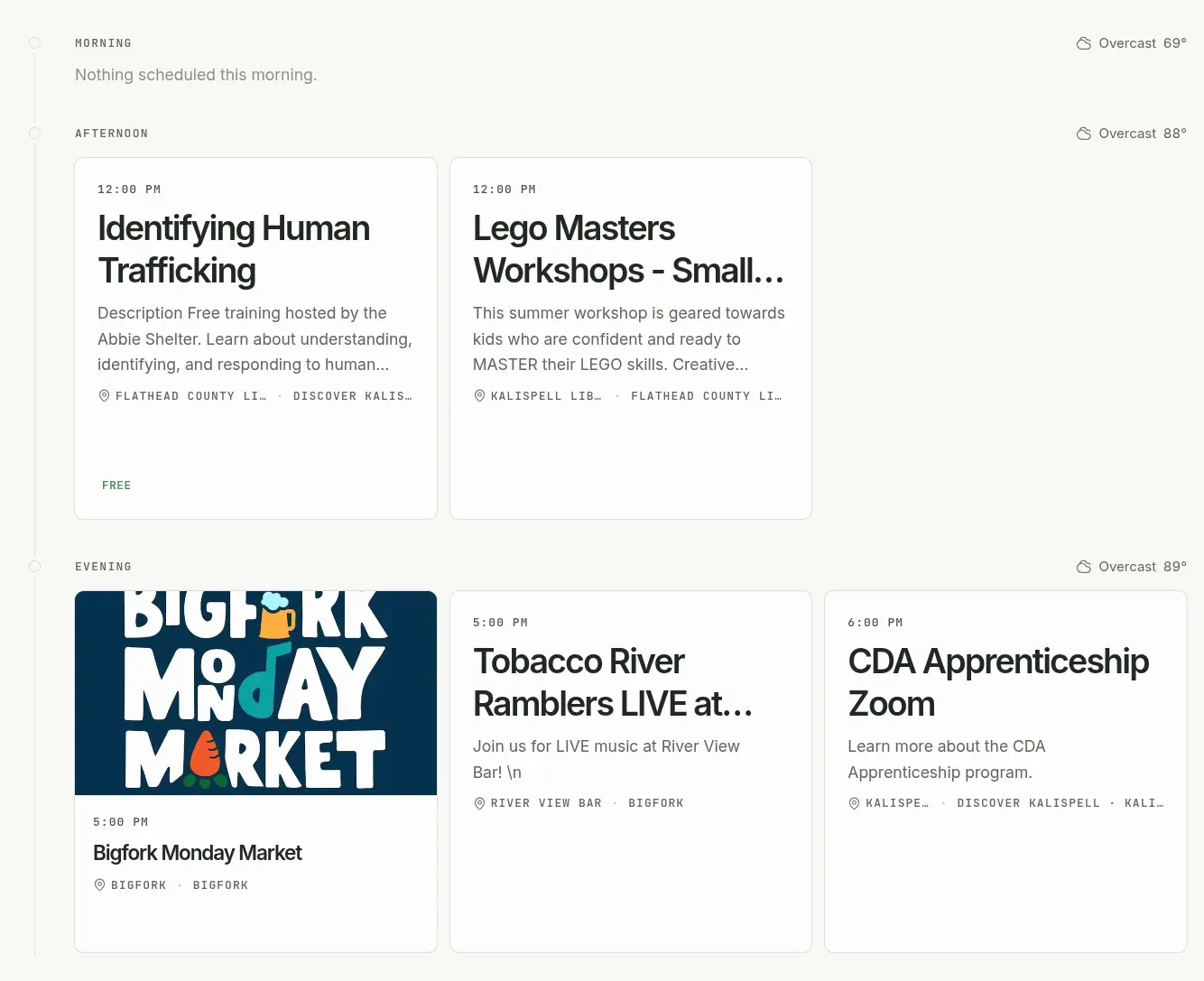
When you choose a date, FoxTrail groups its events into four parts of the day:
- All day
- Morning
- Afternoon
- Evening
This is especially useful on busy days, when a long list of start times can be difficult to make sense of.
When you’re looking at today’s events, the current part of the day is marked. Periods with no events still appear, which makes it easier to see where you have room for another plan.
When a forecast is available, you’ll also see local conditions and temperatures alongside the timeline. Weather is loaded separately from the events, so a forecast problem will not stop the rest of the page from working.
Open an event without starting over
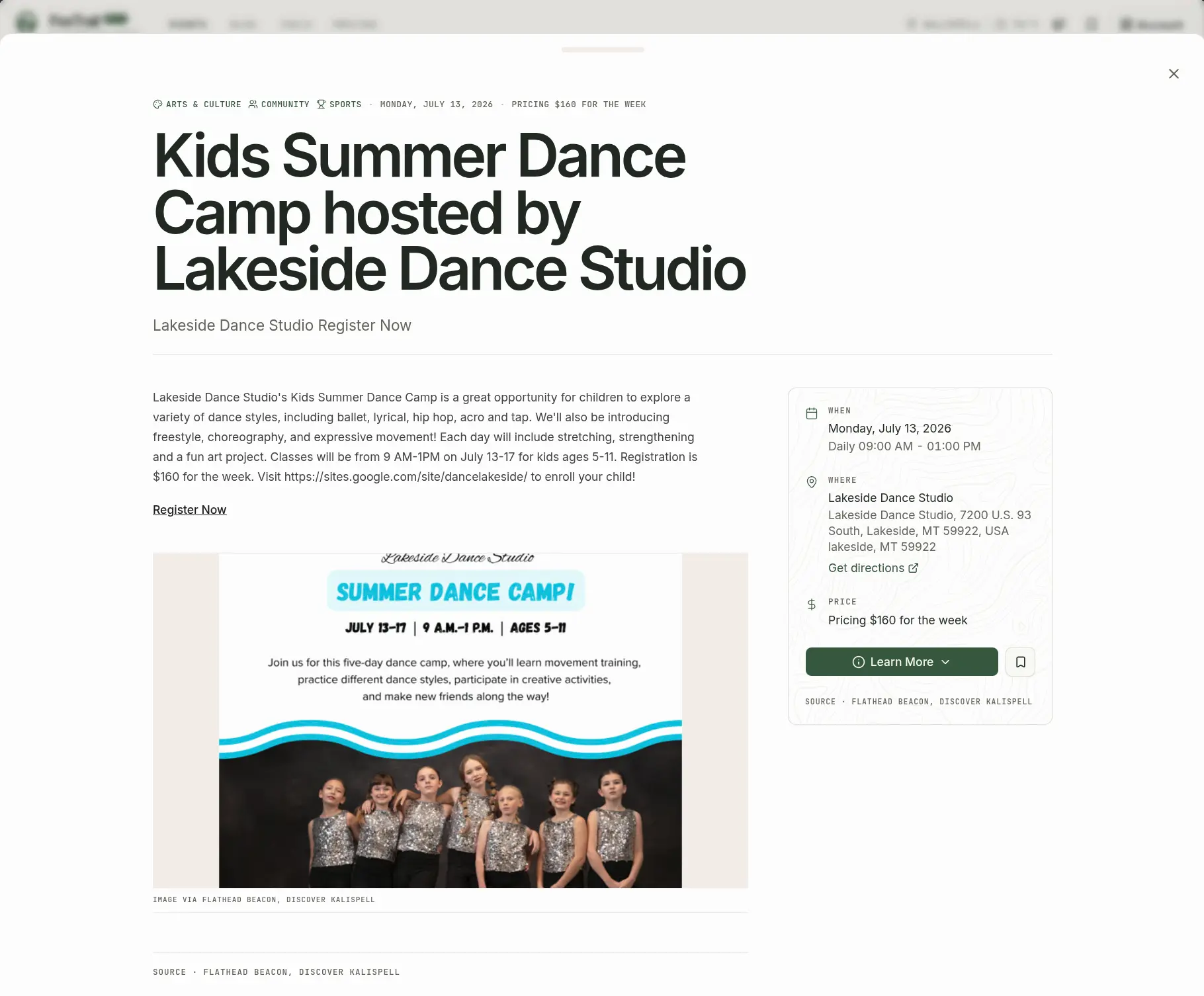
Event details now open in a panel above the browser. When you close it, you return to the same date, search, filters, and position in the event list.
The event page itself has also been reorganized. The main description gets more room, while practical information such as the date, time, location, directions, cost, registration link, categories, and original source is grouped where it is easier to scan.
Some events also include a Coming Up section with a few related listings. Links to the original source remain available for registration, schedule changes, and other official information.
Better event cards, with or without photos
A lot of worthwhile local events do not come with promotional photography. Their listings should not feel unfinished because of it.
The new event cards give the title, date, location, price, and source more emphasis. Events without images have their own layout rather than an empty space where a photo was expected.
We also made card sizes, source labels, pricing information, and save buttons more consistent. The event grid should feel less uneven and be quicker to read.
Saved events in the sidebar
Signed-in visitors can see their upcoming saved events in the desktop sidebar. Saving or removing an event updates the list immediately, without refreshing the page.
We also revised the save buttons to make their current state clearer. Labels, tooltips, pressed states, and screen-reader messages now give better feedback about whether an event has been saved.
When a signed-out visitor tries to save an event, FoxTrail can return them to that event after sign-in. And when a save fails, the button returns to its previous state rather than showing a change that never reached the server.

Work that is less visible
Some of the changes in this release are harder to spot, but they matter when you use the calendar regularly.
Search sends fewer duplicate requests. Event lists keep a more predictable order. Longer lists load more reliably. The calendar, forecast, related events, and saved-event list can also fail or recover separately, so a problem with one section is less likely to break the entire browser.
What we’re working on next
We’d like saved events to become more useful after you leave FoxTrail. An Add to Calendar option is one of the next features we’re considering, along with email or device reminders before an event begins.
We’re also getting ready to add more event sources from around the Flathead Valley. Expanding the number of organizations and calendars we cover remains a major priority.
Know of an event source we’re missing, or have an idea that would make the calendar more useful? Let us know.